SSH Keys
SSH Key Access
SSH keys offer a secure and convenient method for accessing your virtual machine without using passwords. With SSH key authentication, you reduce the risk of brute-force attacks and streamline the login process by using encrypted public-private key pairs.
- To view or manage your SSH keys, go to the VM settings and navigate to the SSH Keys section.
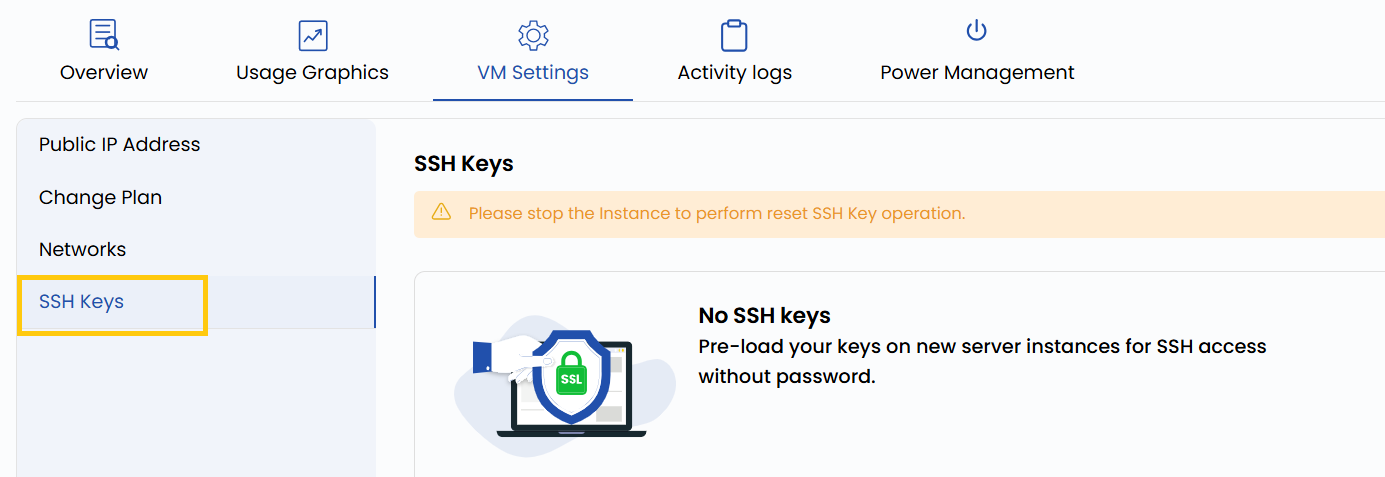
This section displays all SSH public keys authorized to access the VM. These keys are typically configured during VM creation, but they can also be updated as needed.
You need to stop the Instance to perform reset SSH Key operation.
Conclusion
SSH key authentication offers a more secure and efficient alternative to traditional password-based logins. By managing your authorized keys through the VM settings, you ensure controlled access to your instance. Regularly audit your SSH keys to maintain a secure environment and revoke any unused or outdated keys.
See also: